Playwright MCP Screenshots: Tools, Options, Token Cost
How browser_take_screenshot in Playwright MCP works, where files go, and what each capture costs in model tokens. Measured on @playwright/mcp 0.0.83.
Playwright MCP gives an agent one screenshot tool, browser_take_screenshot. Call it after browser_navigate and it returns a PNG of the viewport, both as an image block for the model and as a file on disk. Add fullPage: true for the whole page, target for one element, and type for JPEG or WebP. The part most guides skip is the bill: every image you return goes into the model's context, and the cost depends only on its pixel size. We measured it.
This guide is part of our hub on giving AI agents web vision.
Last tested: 2026-10-15 with
@playwright/mcp0.0.83 (headless Chromium), driven by@modelcontextprotocol/sdk1.32.1 over stdio, Node 22.18.0, macOS 27.0.1. Targets:example.comand our own homepage,renderscreenshot.com. Three runs per call; medians shown. The Claude Code registration command below was run; we did not run a full chat session in Claude Code or Cursor, because a session adds model latency that has nothing to do with the tool.
Add the server to your client
Pin the version. Playwright MCP is pre-1.0 and its tool schema changes between releases.
Claude Code (writes .mcp.json in the current project; Claude Code asks you to approve it on the next start):
claude mcp add --scope project playwright -- npx @playwright/[email protected] --headless
The command above produced this file, which also works as a template for other clients:
{
  "mcpServers": {
    "playwright": {
      "type": "stdio",
      "command": "npx",
      "args": ["@playwright/[email protected]", "--headless"],
      "env": {}
    }
  }
}
Cursor reads the same mcpServers shape from .cursor/mcp.json in your project (drop the type key if your Cursor version rejects it).
Flags worth setting from day one:
| Flag | Why |
|---|---|
--headless |
The default is a headed window, which you rarely want for an agent |
--viewport-size 1280x720 |
Fixes the screenshot size, and so the token cost of every capture |
--output-dir ./shots |
Puts unnamed screenshots somewhere you can find them |
--isolated |
Keeps the profile in memory, so no cookies leak between runs |
--image-responses omit |
Saves files but never sends image blocks to the model (see below) |
| (no color-scheme flag) | 0.0.83 has none. Call browser_emulate_media if you need dark or light |
The screenshot tool, parameter by parameter
These come from the tool schema the server reported in version 0.0.83:
| Parameter | Values | What it does |
|---|---|---|
type |
png, jpeg, webp |
Image format. If unset, it is inferred from filename, otherwise PNG |
filename |
path | Saves to this file. Relative paths resolve against the workspace root |
fullPage |
boolean | Whole scrollable page. Cannot be combined with an element target |
target |
snapshot ref or unique selector | Captures one element |
element |
text | A human-readable description used for the permission prompt |
scale |
css (default), device |
device uses the device pixel ratio for a sharper, larger image |
Two details from testing. The schema lists scale as required even though it has a default; our calls without it still succeeded. And WebP works: the server returned real WebP data. Older Playwright releases supported only PNG and JPEG in page.screenshot(); the 1.64 type definitions list webp too, so older guides that say "no WebP" are out of date.
Viewport
{ "name": "browser_take_screenshot", "arguments": { "scale": "css" } }
With the default 1280x720 viewport, the image came back at 1280x720. The text part of the result (293 characters) repeats the Playwright code the server ran, which is handy for turning an agent session into a test.
Full page
{ "name": "browser_take_screenshot", "arguments": { "fullPage": true } }
On example.com the page is short, so the full-page image was 1280x775. Our homepage produced 1280x5657 pixels. That is where the trouble starts; see the token section.
One element
{ "name": "browser_take_screenshot", "arguments": { "target": "h1", "element": "hero heading" } }
target: "a" worked on example.com, which has one link. On our homepage it failed every time with strict mode violation: locator('a') resolved to 32 elements. Take a browser_snapshot first and pass the element's ref, or use a selector that matches exactly one node.
A fixed size, such as an Open Graph card
Resize the browser, then capture:
{ "name": "browser_resize", "arguments": { "width": 1200, "height": 630 } }
The next viewport capture was exactly 1200x630.
What each call costs the model
Claude reads images in 28x28-pixel patches. Per Anthropic's vision docs (checked 2026-10-15), an image costs ceil(width/28) × ceil(height/28) visual tokens after it is scaled down to fit the model's limit: a 1568 px long edge and 1,568 tokens on the standard tier, or 2576 px and 4,784 tokens on the high-resolution tier (Claude 4.7 and later). Our screenshot vs DOM vs accessibility tree study explains the formula in detail and compares it with text.
We decoded every image block Playwright MCP returned, read its dimensions and applied that formula. Text sizes are the characters in the text parts of the result.
| Call | example.com | renderscreenshot.com | Estimated image tokens (standard / high-res) |
|---|---|---|---|
browser_navigate |
209 chars, 665 ms | 272 chars, 1,703 ms | none |
browser_snapshot |
1,272 chars | 14,200 chars | none |
| Viewport PNG, 1280x720 | 76.8 KB | 61.3 KB | 1,196 / 1,196 |
| Viewport JPEG, 1280x720 | 72.0 KB | 64.8 KB | 1,196 / 1,196 |
| Viewport WebP, 1280x720 | 74.7 KB | 105.3 KB | 1,196 / 1,196 |
1200x630 after browser_resize |
75.2 KB | 59.7 KB | 989 / 989 |
| Full page | 1280x775, 78.5 KB | 1280x5657, 426.9 KB | 1,288 / 1,288 (short) and 728 / 1,932 (long) |
Element (a / ref) |
82x19 px | strict mode error | 3 |
With filename set |
no image block, 215 chars | no image block, 215 chars | 0 |
Read the table with three rules in mind:
- Format does not change the token bill. PNG, JPEG and WebP of the same 1280x720 viewport all cost 1,196 tokens. Format changes bytes on disk and on the wire, not context. WebP was even the largest file on our homepage.
- A long full-page capture gets cheaper and useless. The 1280x5657 image is scaled to about 355x1568 on the standard tier before the model sees it. It costs fewer tokens than a viewport (728), but every line of body text is a few pixels tall.
- The snapshot can cost more than the picture. Our homepage's accessibility snapshot was 14,200 characters. At a rough four characters per English token, that is about 3,500 tokens, three times the viewport screenshot. On a simple page the snapshot is far cheaper. Choose per task, not by habit.
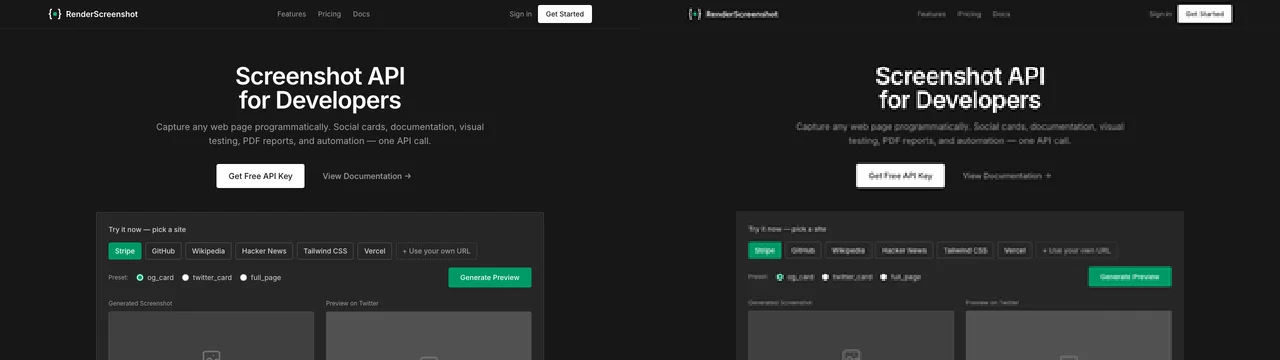
Keep images out of the context when you do not need them
Two switches stop the image block and return only a path:
- Per call: pass
filename. Our calls withfilename: "saved.png"returned 215 characters of text and no image. - Per server: start with
--image-responses omit. Every screenshot is still written to disk, and the result names the file.
This is the right default for agents that take screenshots as evidence for a human (a QA report, a ticket) rather than to reason about the pixels. Use --image-responses only for the opposite case: you want the image and none of the text around it.
Screenshot or snapshot?
Playwright MCP's own tool description says it plainly: you cannot act on a screenshot; use browser_snapshot for actions. The snapshot gives element refs that browser_click and browser_take_screenshot accept. Use this split:
| Task | Use |
|---|---|
| Click, type, fill a form | browser_snapshot, then act by ref |
| "Does this look broken?" layout, color, overlap | Viewport screenshot |
| Read a long article | Snapshot or text, not a full-page image |
| Prove what the page showed at a moment | Screenshot with filename, no image block |
| Check one component | Element screenshot by ref |
A script to measure your own pages
This is the script behind the table. It starts the server over stdio, runs the calls and prints sizes and token estimates. Save it as pw-measure.mjs next to tokcalc.mjs (below), then run node pw-measure.mjs https://your-site.example.
npm i @playwright/[email protected] @modelcontextprotocol/[email protected]
// tokcalc.mjs: visual-token estimate per Anthropic's vision docs (checked 2026-10-15)
const TIERS = { standard: { edge: 1568, max: 1568 }, high: { edge: 2576, max: 4784 } };

export function visualTokens(w, h, tier = 'standard') {
  const { edge, max } = TIERS[tier];
  let s = Math.min(1, edge / Math.max(w, h));
  const t = (k) => Math.ceil((w * k) / 28) * Math.ceil((h * k) / 28);
  while (t(s) > max) s -= 0.001;
  return t(s);
}

export function imageSize(buf) {
  if (buf[0] === 0x89) return { w: buf.readUInt32BE(16), h: buf.readUInt32BE(20) }; // PNG
  if (buf.toString('ascii', 0, 4) === 'RIFF') { // WebP
    const c = buf.toString('ascii', 12, 16);
    if (c === 'VP8 ') return { w: buf.readUInt16LE(26) & 0x3fff, h: buf.readUInt16LE(28) & 0x3fff };
    if (c === 'VP8L') { const b = buf.readUInt32LE(21); return { w: (b & 0x3fff) + 1, h: ((b >> 14) & 0x3fff) + 1 }; }
    if (c === 'VP8X') return { w: 1 + buf.readUIntLE(24, 3), h: 1 + buf.readUIntLE(27, 3) };
  }
  let i = 2; // JPEG: walk segments to the SOF marker
  while (i < buf.length) {
    const m = buf[i + 1], len = buf.readUInt16BE(i + 2);
    if (m >= 0xc0 && m <= 0xc3) return { w: buf.readUInt16BE(i + 7), h: buf.readUInt16BE(i + 5) };
    i += 2 + len;
  }
  throw new Error('unknown image format');
}
// pw-measure.mjs
import { Client } from '@modelcontextprotocol/sdk/client/index.js';
import { StdioClientTransport } from '@modelcontextprotocol/sdk/client/stdio.js';
import { imageSize, visualTokens } from './tokcalc.mjs';

const [url = 'https://example.com', ...serverArgs] = process.argv.slice(2);
const client = new Client({ name: 'measure', version: '1.0.0' });
await client.connect(new StdioClientTransport({
  command: './node_modules/.bin/playwright-mcp',
  args: ['--headless', '--isolated', '--output-dir', './out', ...serverArgs],
}));

async function call(label, name, args) {
  const t0 = performance.now();
  const res = await client.callTool({ name, arguments: args });
  const ms = Math.round(performance.now() - t0);
  let textChars = 0, img = null;
  for (const part of res.content) {
    if (part.type === 'text') textChars += part.text.length;
    if (part.type === 'image') {
      const buf = Buffer.from(part.data, 'base64');
      const { w, h } = imageSize(buf);
      img = `${part.mimeType} ${w}x${h} ${(buf.length / 1024).toFixed(1)}KB ` +
        `tokens std=${visualTokens(w, h)} high=${visualTokens(w, h, 'high')}`;
    }
  }
  console.log([label, `${ms}ms`, `text=${textChars}ch`, img ?? 'no image', res.isError ? 'ERROR' : ''].join(' | '));
}

try {
  await call('navigate', 'browser_navigate', { url });
  await call('snapshot', 'browser_snapshot', {});
  await call('viewport png', 'browser_take_screenshot', { scale: 'css' });
  await call('viewport jpeg', 'browser_take_screenshot', { scale: 'css', type: 'jpeg' });
  await call('full page', 'browser_take_screenshot', { scale: 'css', fullPage: true });
  await call('to file', 'browser_take_screenshot', { scale: 'css', filename: 'saved.png' });
} finally {
  await client.close();
}
The same harness works for any stdio MCP server; change the command and the tool names. We used it to compare three servers in our best MCP servers for web browsing test, and the agent-browser screenshot guide covers the CLI route with the same targets.
Troubleshooting
| Symptom | Cause | Fix |
|---|---|---|
| A browser window pops up | Headed is the default | Add --headless |
strict mode violation ... resolved to N elements |
target matched several elements |
Use a ref from browser_snapshot or a unique selector |
Screenshots land in an unexpected .playwright-mcp folder |
No --output-dir, no filename |
Set --output-dir, or pass filename |
| Full-page text is unreadable to the model | Tall image scaled to the long-edge limit | Capture viewport slices, or an element |
| Context fills up after a few steps | Every capture returns an image block | Use filename or --image-responses omit |
| Tool calls fail after a version bump | Schema changed in a pre-1.0 release | Pin @playwright/mcp@<version> in the config |
| Dark page when you expected light (or the reverse) | The page follows prefers-color-scheme |
Call browser_emulate_media before capturing |
Element capture with fullPage: true errors |
The two options are exclusive | Drop fullPage for element captures |
| First call is slow | Browser launch on the first navigation | Expected; later calls reuse the browser |
When you do not need a browser in the loop
Playwright MCP shines when the agent must click through a flow. If the agent only needs "show me this URL", a whole browser session per question is a lot of machinery: 25 tools in the context (20,286 bytes of tool schema in our test) and several round trips per capture. A single HTTP tool that returns one image is lighter. That is the job RenderScreenshot does (we sell it): one request with a viewport and a wait condition, one image back, and a public CDN link in X-Cache-URL for the agent's report. There is no RenderScreenshot MCP server today, so you would call the API from a normal tool definition, as shown on our agents page. Get a free API key to compare the two approaches on your own pages.
Related guides
- Best MCP servers for web browsing: Playwright MCP against Chrome DevTools MCP and agent-browser on the same tasks
- agent-browser screenshots: the CLI-first alternative
- Taking screenshots with Playwright: the library underneath, without MCP
- Build an MCP server on Cloudflare Browser Run: task-level tools instead of browser-level ones
Related in this topic
- Screenshot API for AI Agents Give AI agents web vision with one HTTP tool. Tool definitions for OpenAI, Anthropic and the Vercel AI SDK, plus measured token costs per capture.
- Screenshots for AI Agents and Agent Reports Let AI agents observe rendered pages and attach screenshot evidence to their reports. Tool schema, evidence records, capture modes and token cost per mode.
- Website Screenshots for GPT and Claude Vision Pick the viewport, scale and format that vision models read best per token. Capture settings, token math for Claude and GPT, and a tested Python example.
- Screenshot vs DOM vs Accessibility Tree: Token Costs We measured what 26 real web pages cost an LLM agent as raw HTML, cleaned HTML, text, accessibility tree and screenshot. Data, script and method included.
- AI Landing Page Review with Screenshots Capture desktop, mobile and full-page screenshots of a landing page and get a scored AI review as JSON. Rubric prompt, schema and tested Node script.
- Claude Tool Use Screenshot Tool Give Claude a screenshot tool with the Anthropic Messages API. The tool returns image blocks in tool_result. Full Python file, limits and error handling.