An OG image is the image a web page names in its og:image meta tag, so that social networks, chat apps and search tools show it as the preview picture when someone shares the page's link.
"OG" is short for Open Graph, the set of meta tags that describes a page to the services that unfurl links. The tag holds an absolute URL. The platform's crawler downloads that image once, crops or scales it into its card layout, and caches the result. This entry is part of the screenshot and rendering glossary.
A plain explanation
When you paste a link into Slack, LinkedIn or iMessage, the app does not open the page in a browser. A crawler fetches the HTML, reads the meta tags in the <head>, and builds a small card: title, description and one image. The OG image is the largest part of that card, so it decides whether people notice the link.
The tag looks like this:
<meta property="og:image" content="https://example.com/og/pricing.png">
<meta property="og:image:width" content="1200">
<meta property="og:image:height" content="630">
<meta property="og:image:alt" content="Pricing plans compared side by side">
What one looks like
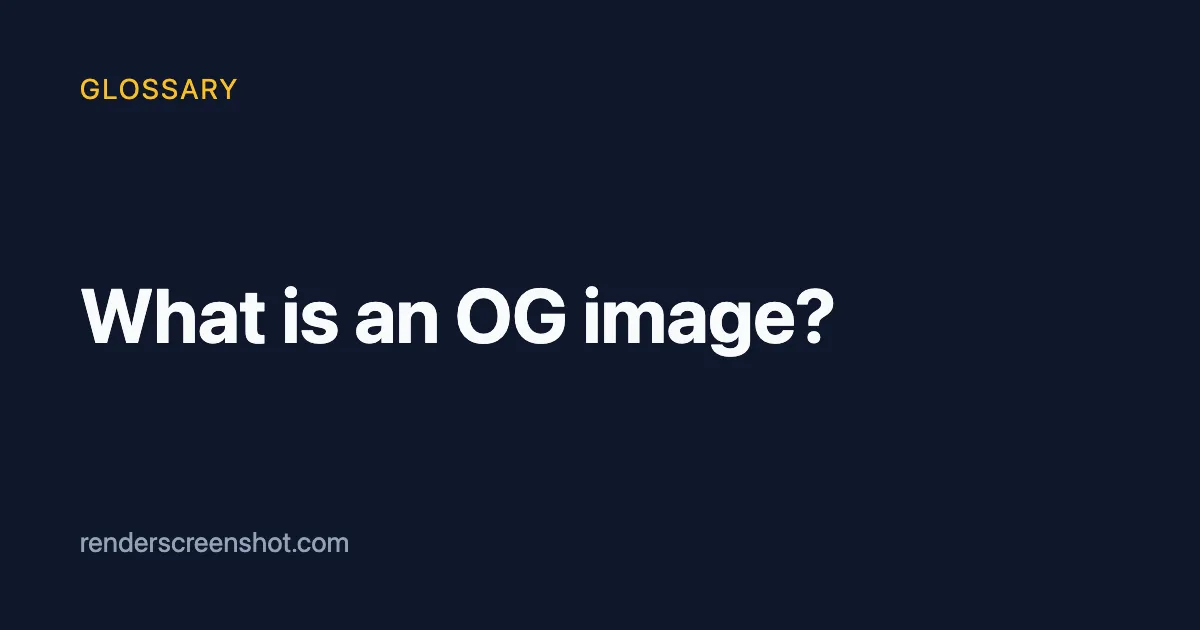
The file sizes in the caption matter for one reason: some crawlers give up on large or slow images. Flat colours and text compress well in PNG and very well in WebP. Before you switch the format, check that each platform you target accepts it. The OG image WebP support post covers that.
How it works technically
- Your server returns HTML that already contains the
og:imagetag. Most link crawlers do not run JavaScript, so a tag that a client-side framework adds after load is often invisible to them. - The crawler resolves the
contentvalue as an absolute URL and downloads it without your cookies or login. - The platform scales the image to its card size and caches it, sometimes for days. A new image at the same URL may not appear until the cache expires, which is why many sites add a version to the image URL.
The usual source size is 1200 x 630 pixels (1.91:1). Keep the important text away from the edges, because some layouts crop to a narrower or square shape. The OG image size guide lists the per-platform crops.
How to create one in Puppeteer, Playwright and RenderScreenshot
Most teams draw OG images with HTML and CSS, then take a 1200 x 630 screenshot. That keeps the design in the same tools as the site.
Puppeteer. The viewport size is the image size. The title is escaped because it comes from your content.
import puppeteer from 'puppeteer'; import { writeFile } from 'node:fs/promises'; const escapeHtml = (s) => s.replace(/[&<>"']/g, (c) => ({ '&': '&', '<': '<', '>': '>', '"': '"', "'": ''' })[c]); const title = process.argv[2] ?? 'What is an OG image?'; const html = `<!doctype html> <html><head><meta charset="utf-8"><style> * { margin: 0; box-sizing: border-box; } body { width: 1200px; height: 630px; display: flex; flex-direction: column; justify-content: space-between; padding: 72px 80px; background: #0f172a; color: #f8fafc; font-family: system-ui, sans-serif; } .kicker { font-size: 28px; letter-spacing: .08em; text-transform: uppercase; color: #fbbf24; } h1 { font-size: 76px; line-height: 1.1; max-width: 960px; } .site { font-size: 28px; color: #94a3b8; } </style></head> <body><div class="kicker">Glossary</div><h1>${escapeHtml(title)}</h1><div class="site">renderscreenshot.com</div></body></html>`; const browser = await puppeteer.launch(); try { const page = await browser.newPage(); await page.setViewport({ width: 1200, height: 630, deviceScaleFactor: 1 }); await page.setContent(html, { waitUntil: 'load' }); await writeFile('og-puppeteer.png', await page.screenshot({ type: 'png' })); console.log('wrote og-puppeteer.png'); } finally { await browser.close(); }
Playwright. The viewport and the pixel ratio belong to the browser context.
import { chromium } from 'playwright'; const escapeHtml = (s) => s.replace(/[&<>"']/g, (c) => ({ '&': '&', '<': '<', '>': '>', '"': '"', "'": ''' })[c]); const title = process.argv[2] ?? 'What is an OG image?'; const html = `<!doctype html><html><head><meta charset="utf-8"><style> * { margin: 0; } body { width: 1200px; height: 630px; padding: 72px 80px; box-sizing: border-box; background: #0f172a; color: #f8fafc; font: 76px/1.1 system-ui, sans-serif; } </style></head><body><h1>${escapeHtml(title)}</h1></body></html>`; const browser = await chromium.launch(); try { const context = await browser.newContext({ viewport: { width: 1200, height: 630 }, deviceScaleFactor: 1 }); const page = await context.newPage(); await page.setContent(html); await page.screenshot({ path: 'og-playwright.png', type: 'png' }); console.log('wrote og-playwright.png'); } finally { await browser.close(); }
RenderScreenshot. The og_card preset sets a 1200 x 630 viewport, PNG output and a 24-hour cache. See the presets reference.
curl --get https://api.renderscreenshot.com/v1/screenshot \
  -H "Authorization: Bearer $RS_API_KEY" \
  --data-urlencode 'url=https://example.com/blog/my-post' \
  -d preset=og_card \
  --output og.png
import { Client, TakeOptions } from 'renderscreenshot';
import { writeFile } from 'node:fs/promises';

const client = new Client(process.env.RS_API_KEY);
const image = await client.take(TakeOptions.url('https://example.com/blog/my-post').preset('og_card'));
await writeFile('og.png', image);
To put the image URL straight into the og:image tag without exposing a key, use a signed URL.
Tested on 2026-10-15 with Node 22.18, Puppeteer 24.43.1 (run in headless shell mode) and Playwright 1.64.1. The RenderScreenshot snippets follow the API docs and were not run for this page.
Common mistakes
- Relative URLs. The protocol expects a full URL, and a crawler that does not resolve
content="/og.png"shows no image. Always write the fullhttps://URL. - Images behind auth. The crawler has no session. A signed-in-only image returns a login page or a 403.
- JavaScript-only tags. If the tag is added in the browser, check the raw HTML with
curl, not the DevTools Elements panel. - Retina by habit. A 2x render gives 2400 x 1260 pixels and a much larger file for a card that shows at a few hundred pixels wide. Render at scale 1 unless a platform asks for more.
- No alt text. Add
og:image:alt. It describes the image on platforms that support alt text, and it costs one line.
Related terms
- Open Graph protocol: the full tag set that
og:imagebelongs to. - Twitter card: X's own tags and how they fall back to Open Graph.
- Device pixel ratio: why a 2x render is rarely right for a card.
- Screenshot API: the service type that renders these images on request.
For a complete build, from template to cache headers, read generating social cards with screenshots. To render your first card, create a free account. No credit card is needed.