A Twitter card is the rich link preview that X (formerly Twitter) builds from twitter: meta tags in a page's HTML; the twitter:card tag picks one of four card types, and that type decides the layout and the image shape.
The tags still use the twitter: prefix after the rename to X. This entry is part of the screenshot glossary. The broader standard for previews on every other platform is the Open Graph protocol.
The four card types
twitter:card value |
What it shows | Image shape | Typical use |
|---|---|---|---|
summary |
Small square thumbnail next to title and description | 1:1 | Profiles, docs pages, anything without a strong image |
summary_large_image |
Wide image above the title | 2:1 | Blog posts, product launches, release notes |
app |
App name, icon, rating and store link | Taken from the app store | Mobile app promotion |
player |
Inline video or audio player in an iframe | Player size you declare | Media sites with a hosted, HTTPS player page |
For a developer site, the real choice is summary versus summary_large_image. Exact pixel limits and file size rules are covered in the Twitter card image size guide.
How it works technically
When a post contains a link, X's crawler fetches the page and reads the <head>. A complete large-image card looks like this:
<meta name="twitter:card" content="summary_large_image">
<meta name="twitter:site" content="@yourbrand">
<meta name="twitter:title" content="Release notes, October">
<meta name="twitter:description" content="Faster renders and a new preset.">
<meta name="twitter:image" content="https://example.com/cards/october.png">
<meta name="twitter:image:alt" content="Release notes, October, on a dark blue card">
Three details catch people out:
twitter:tags usename=, Open Graph usesproperty=. Crawlers are lenient, but validators are not.- The fallback. If
twitter:title,twitter:descriptionortwitter:imageis missing, X uses the matchingog:tag.twitter:carditself has no Open Graph equivalent. - The crawler caches. After you change the image, existing posts keep the old preview for a while. Changing the image URL (for example with a version parameter) gets a fresh fetch sooner.
The crawler does not run your JavaScript. Tags injected by a client-side framework after load are invisible to it, so render them on the server.
Check a page's card tags with Playwright
This script reads the tags the way a crawler would, from the delivered HTML, and reports what X would fall back to:
import { chromium } from 'playwright';

const url = process.argv[2] ?? 'https://example.com';
const browser = await chromium.launch();
try {
  const page = await browser.newPage();
  await page.goto(url, { waitUntil: 'domcontentloaded' });

  const tags = await page.$$eval('meta[name^="twitter:"], meta[property^="og:"]', (metas) =>
    Object.fromEntries(metas.map((m) => [m.getAttribute('name') ?? m.getAttribute('property'), m.content])),
  );

  const card = tags['twitter:card'] ?? '(missing)';
  const image = tags['twitter:image'] ?? tags['og:image'] ?? '(no image)';
  console.log({ card, title: tags['twitter:title'] ?? tags['og:title'], image });
} finally {
  await browser.close();
}
Against a test page with only twitter:card and og: tags it printed the og:title and og:image values, which is the fallback in action. Against example.com it printed (missing): that page has no card tags. One caveat: Playwright runs scripts, so a tag added by JavaScript shows up here even though X would not see it. Compare with curl -s URL | grep twitter: if in doubt.
Render the card image with Puppeteer
Most large-image cards are an HTML template captured at the card size. Escape anything that comes from user input before it goes into the HTML:
import puppeteer from 'puppeteer';

const escape = (s) => s.replace(/[&<>"']/g, (c) => `&#${c.charCodeAt(0)};`);
const title = escape(process.argv[2] ?? 'Twitter card types, explained');

const html = `<!doctype html>
<body style="margin:0;width:1200px;height:628px;display:grid;place-items:center;
  background:#0f172a;color:#f8fafc;font:700 64px/1.1 system-ui,sans-serif">
  <h1 style="max-width:960px;margin:0">${title}</h1>
</body>`;

const browser = await puppeteer.launch();
try {
  const page = await browser.newPage();
  await page.setViewport({ width: 1200, height: 628 });
  await page.setContent(html, { waitUntil: 'load' });
  await page.screenshot({ path: 'twitter-card.png', type: 'png' });
  console.log('wrote twitter-card.png');
} finally {
  await browser.close();
}
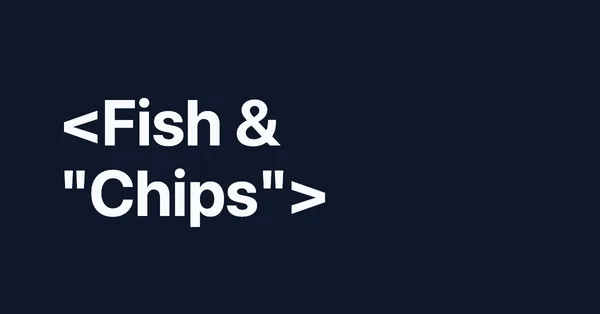
<Fish & "Chips">. The characters show as text because they were escaped. Rendered with Puppeteer 24.43.1 and headless Chrome 148 on 2026-10-15, scaled to 600×314.Tested on 2026-10-15 with Node 22.18.0, [email protected] (run with headless: 'shell') and [email protected].
Twitter cards in RenderScreenshot
Two presets match the card sizes: twitter_card (1200×600, an exact 2:1) and twitter_card_large (1200×628). Both output PNG and cache for 24 hours. Because a GET URL returns the image itself, it can go straight into the tag, as a signed URL so no API key is exposed:
<meta name="twitter:image" content="https://api.renderscreenshot.com/v1/screenshot?expires=...&key_id=rs_pub_...&preset=twitter_card_large&url=https%3A%2F%2Fexample.com%2Fcards%2Foctober&signature=...">
Note the & inside the attribute. Generate the full link on your server with the signing code from the signed URLs reference.
Common mistakes
- No
twitter:cardtag. Open Graph tags alone do not choose the large layout. - A relative image URL. Use an absolute
https://URL. - Important text near the edges. Timelines can crop the image. Keep titles inside a central safe area.
- An image URL that needs a login, a cookie or an API key header. The crawler sends none of these.
- Tags added by client-side JavaScript, which the crawler never runs.
Related terms
To render cards from your own templates without running Chrome, get a free API key and try the twitter_card_large preset.