A base64 image data URI is a URL of the form data:image/png;base64,... that contains the image bytes themselves, encoded as text, so the image needs no separate request or file.
Screenshot tools meet data URIs in two directions. You get a capture as base64 to put it in JSON, HTML email or a database column. And you put images into HTML as data URIs so a renderer can draw them without fetching anything. This entry is part of the screenshot and rendering glossary.
A plain explanation
Binary files cannot travel safely in places built for text: JSON strings, HTML attributes, CSS, environment variables. Base64 maps each group of 3 bytes to 4 characters from a 64-character alphabet (A-Z a-z 0-9 + /, with = as padding). A data URI then adds a header that says what the bytes are:
data:image/png;base64,iVBORw0KGgoAAAANSUhEUgAA...
└┬─┘ └───┬───┘ └──┬─┘ └──────────┬──────────┘
scheme  MIME type  encoding   the image bytes as base64
The browser decodes the text back to bytes and treats the result like a downloaded file of that MIME type.
What it costs: measured on one capture
We captured https://example.com at 1280 x 800 with Puppeteer and measured each form of the same image:
| Form | Size |
|---|---|
| PNG file | 79,353 bytes |
| PNG, gzip | 73,108 bytes |
| Base64 string | 105,804 characters (+33.3%) |
| Base64 string, gzip | 74,341 bytes |
Full data URI (data:image/png;base64, + string) |
105,826 characters |
Two conclusions follow. The raw overhead is exactly what the arithmetic predicts: 4/3 of the input. But when the HTML or JSON around the data URI is gzip-compressed, the cost falls to under 2% over the compressed PNG here, because base64 text compresses well. The real costs are elsewhere: the image cannot be cached on its own, it is downloaded again with every copy of the document, and it blocks parsing of the document while it streams.
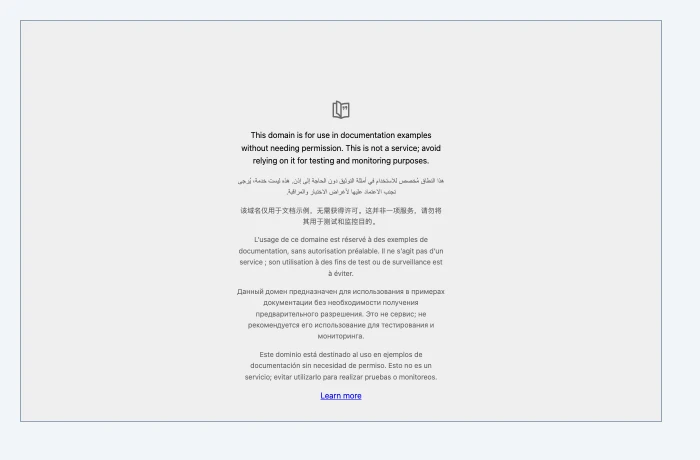
img element of a new page, rendered with Puppeteer setContent on 2026-10-15. No server was involved in the second render.How it works technically
- Encoding: standard base64 (RFC 4648) with
+and/. The URL-safe variant (-and_) is not valid in a data URI unless it is percent-encoded back. - No line breaks. Some encoders wrap lines at 76 characters (MIME style). Strip them before you build the URI.
- The MIME type must match. A JPEG labelled
image/pngoften still renders, but other tools that read the header, such as email clients, can reject it. - Inside HTML for a renderer, a data URI is the one image source that needs no base URL, no network and no CORS. That makes it a reliable way to put a logo or chart into HTML-to-image templates.
How to get one in Puppeteer, Playwright and RenderScreenshot
Puppeteer can return base64 directly with encoding: 'base64'. This listing measures the overhead and then renders the capture back from its data URI.
import puppeteer from 'puppeteer';

const browser = await puppeteer.launch();
try {
  const page = await browser.newPage();
  await page.setViewport({ width: 1280, height: 800 });
  await page.goto('https://example.com', { waitUntil: 'load' });

  const png = await page.screenshot({ type: 'png' });                        // Uint8Array
  const b64 = await page.screenshot({ type: 'png', encoding: 'base64' });    // string
  const dataUri = `data:image/png;base64,${b64}`;
  console.log(`PNG bytes ${png.length}, base64 chars ${b64.length}, ` +
    `data URI chars ${dataUri.length}, overhead ${((b64.length / png.length - 1) * 100).toFixed(1)}%`);

  // A data URI needs no server: embed the capture in a new page and render that.
  await page.setViewport({ width: 700, height: 460 });
  await page.setContent(`<!doctype html><body style="margin:0;padding:20px;background:#f1f5f9">
    <img src="${dataUri}" width="640" height="400" style="border:1px solid #94a3b8"></body>`,
    { waitUntil: 'load' });
  await page.screenshot({ path: 'out/datauri-embedded.png' });
} finally {
  await browser.close();
}
Output: PNG bytes 79353, base64 chars 105804, data URI chars 105826, overhead 33.3%.
Playwright has no encoding option. page.screenshot() always returns a Buffer, and Node converts it.
import { chromium } from 'playwright';

// Playwright has no encoding option: it always returns a Buffer.
const browser = await chromium.launch();
try {
  const page = await browser.newPage({ viewport: { width: 1280, height: 800 } });
  await page.goto('https://example.com');
  const buffer = await page.screenshot({ type: 'jpeg', quality: 80 });
  const dataUri = `data:image/jpeg;base64,${buffer.toString('base64')}`;
  console.log(buffer.length, 'bytes ->', dataUri.length, 'characters');
  console.log(dataUri.slice(0, 40) + '...');
} finally {
  await browser.close();
}
RenderScreenshot returns binary image data, so the conversion is the same one line. The SDK's take() returns a Buffer.
import { Client, TakeOptions } from 'renderscreenshot';

const client = new Client(process.env.RS_API_KEY);
const image = await client.take(TakeOptions.url('https://example.com').width(1280).height(800).format('webp'));
const dataUri = `data:image/webp;base64,${image.toString('base64')}`;
Before you embed bytes, ask whether a link is enough. Every response carries X-Cache-URL, a public CDN link to the same file that needs no key. One short URL in your JSON or email is cheaper than 100 KB of base64, and the CDN caches it. See caching.
Going the other way, data URIs work inside the html you send to the API. Use them for small images that must not depend on a network fetch, such as a logo in a social card template.
Tested on 2026-10-15 with Node 22.18, Puppeteer 24.43.1 (headless shell, Chrome 148) and Playwright 1.64.1 (Chromium 156). The RenderScreenshot snippet follows the SDK docs and was not run for this page.
Common mistakes
- Base64 for large images in JSON APIs. Each response is a third larger, cannot be cached by the CDN, and fills logs. Return a URL.
- Wrong MIME type in the header. Write
image/jpegfor JPEG output andimage/webpfor WebP. Do not reuseimage/pngfor every format. - Data URIs in
og:image. Social crawlers need a fetchablehttps://URL. A data URI there is ignored. - Double encoding. Base64 of a string that is already base64 still decodes to valid text, so the bug shows up only as a broken image.
Related terms
- HTML to image: where data URIs keep templates self-contained.
- HTML base URL: the alternative way to make relative image paths work.
- MIME type: the label at the start of every data URI.
To skip base64 for delivery entirely, read how X-Cache-URL links work. To try it, get a free API key.